Nutrition & health tracking
Scan the meal. Keep the whole picture.
Senumi reads a plate of food from a single photo, including the dishes most trackers only guess at, then keeps calories, lab results and health readings in one history that belongs to you.
- Log offline, syncs when you reconnect
- 21 countries, in your own language
- Delete your account and data in-app
- Food catalogue
- 502 dishes, named in every language
- Ways to log
- Photo, barcode, search, or describe it
- Beyond calories
- Blood sugar, weight, sleep, steps
- Syncs with
- Health Connect & Apple Health
In the moment
One photo, every item on the plate
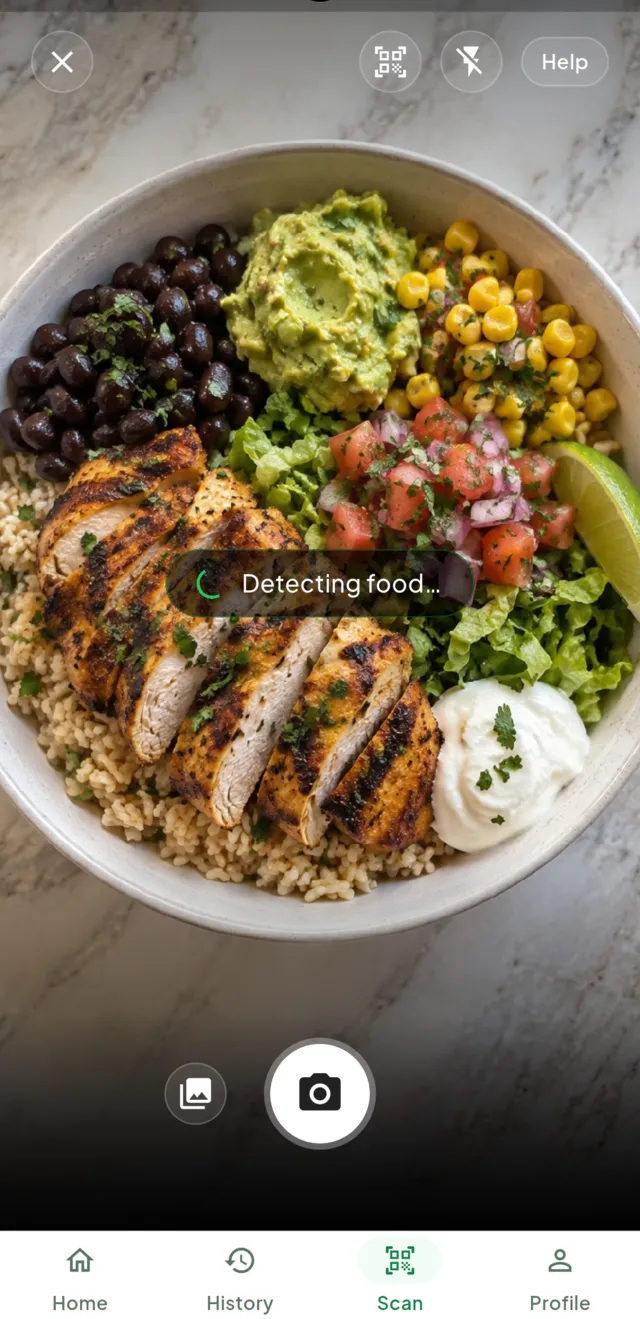
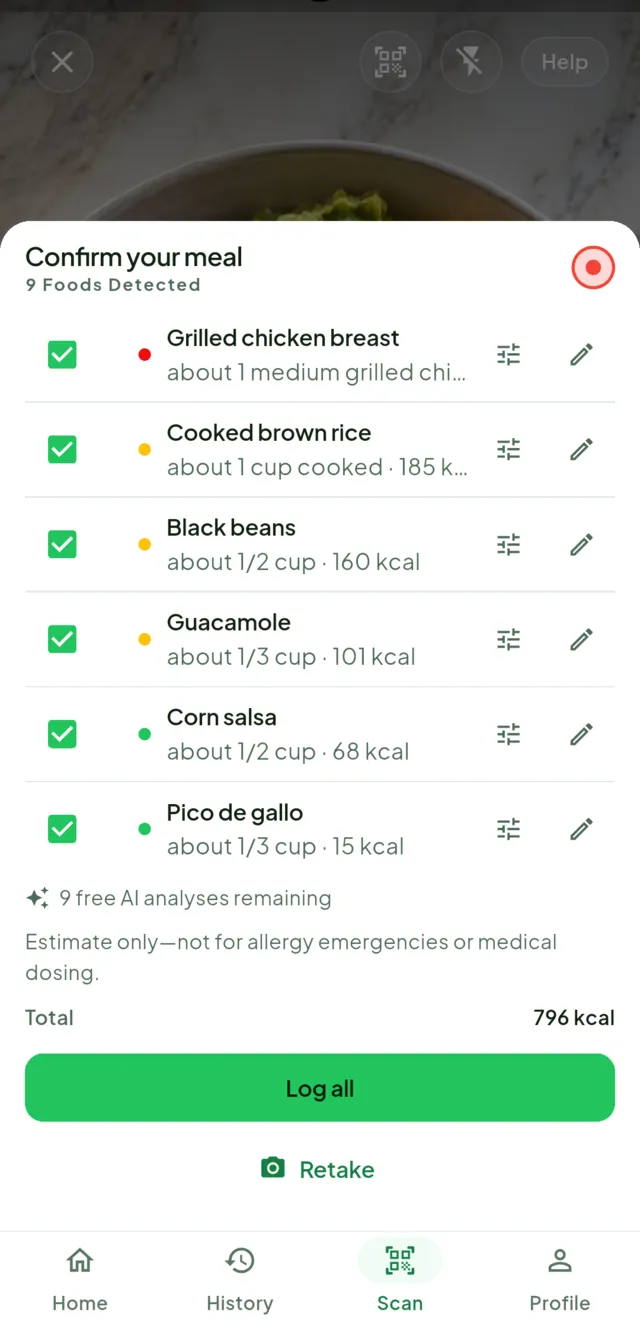
Point the camera at a meal. Senumi finds the separate foods in it rather than one vague "lunch", estimates each portion, and hands you the list to confirm before anything is logged.
-
Several foods at onceA rice bowl comes back as rice, chicken, beans, guacamole and salsa, each with its own estimate.
-
You confirm, then it logsUntick anything that isn't there, adjust a portion, edit a name. Nothing is written to your history until you say so.
-
Barcodes and search tooPackaged food by barcode, or type it in. Four ways to log, so the camera is never the only option.
When the photo won't do
Bad light, covered dish? Just say what you ate.
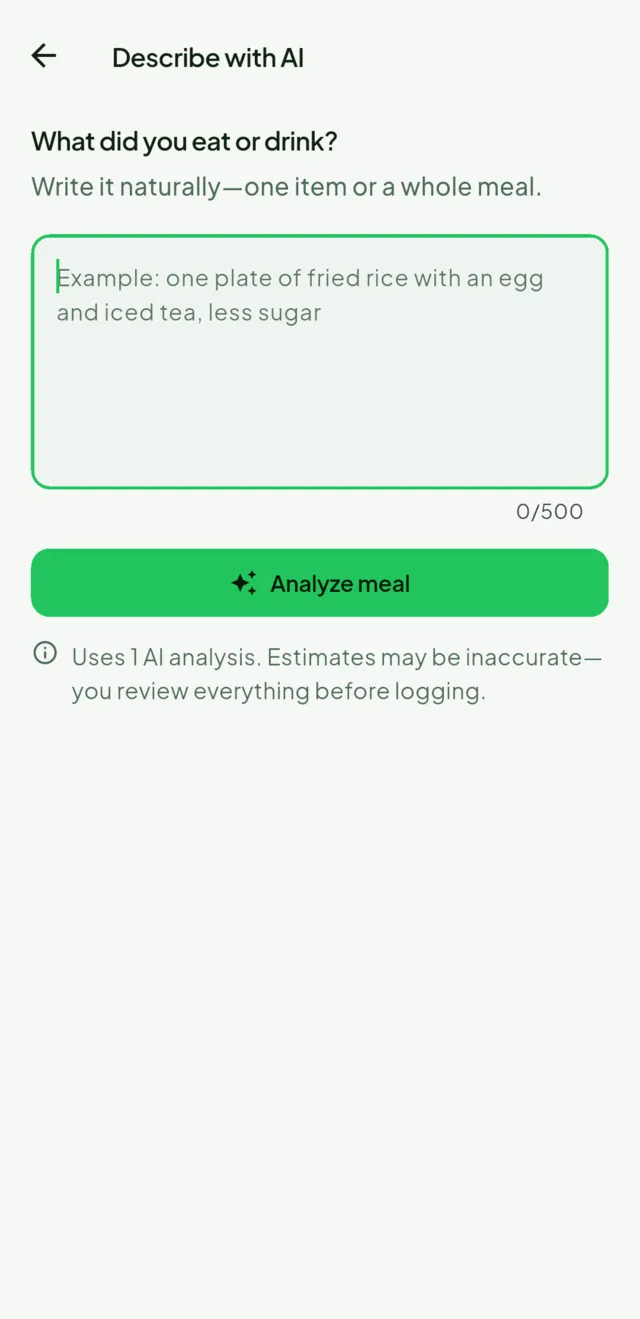
Not every meal photographs well, and some never get photographed at all. Describe it in a sentence instead and Senumi works from that, with the same confirmation step before anything is logged.
-
Write it the way you'd say it"Two slices of wholemeal toast with peanut butter" works as well as a photo.
-
Fix it before it countsChange a name or a portion and your corrected version is what enters your history, not the app's guess.
-
It says when it's guessingPortion figures are labelled as estimates. Senumi will not pretend a photo is a kitchen scale.
Over time
Trends, not just today's total
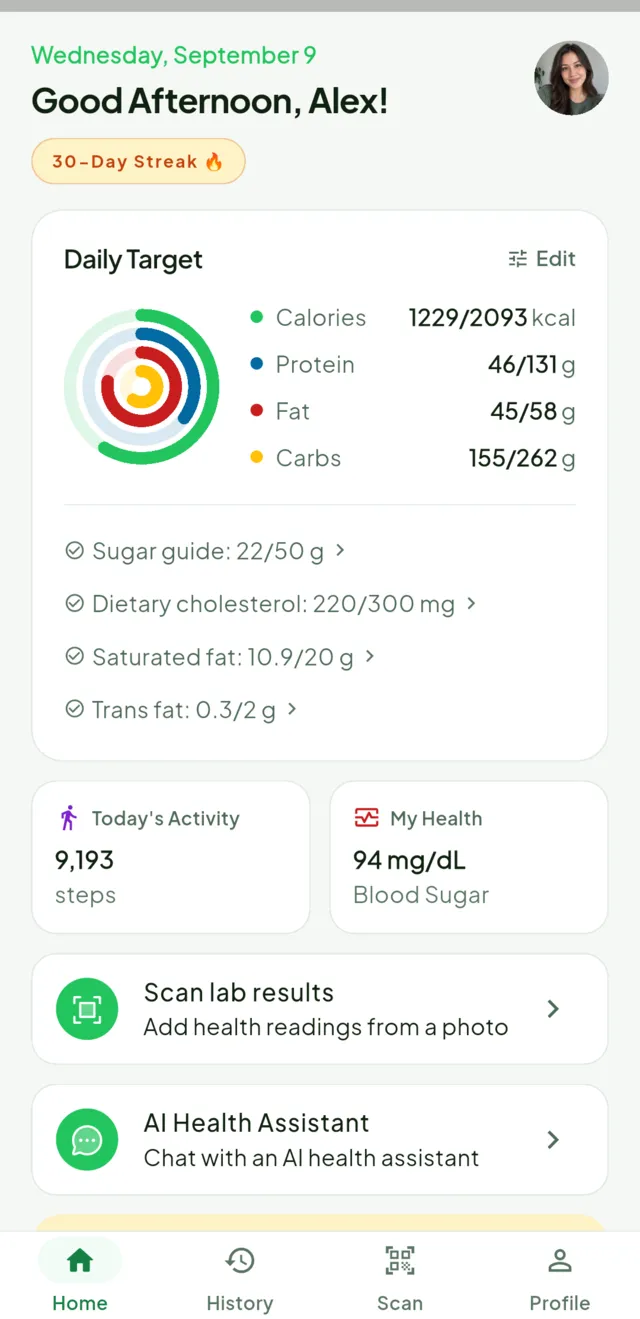
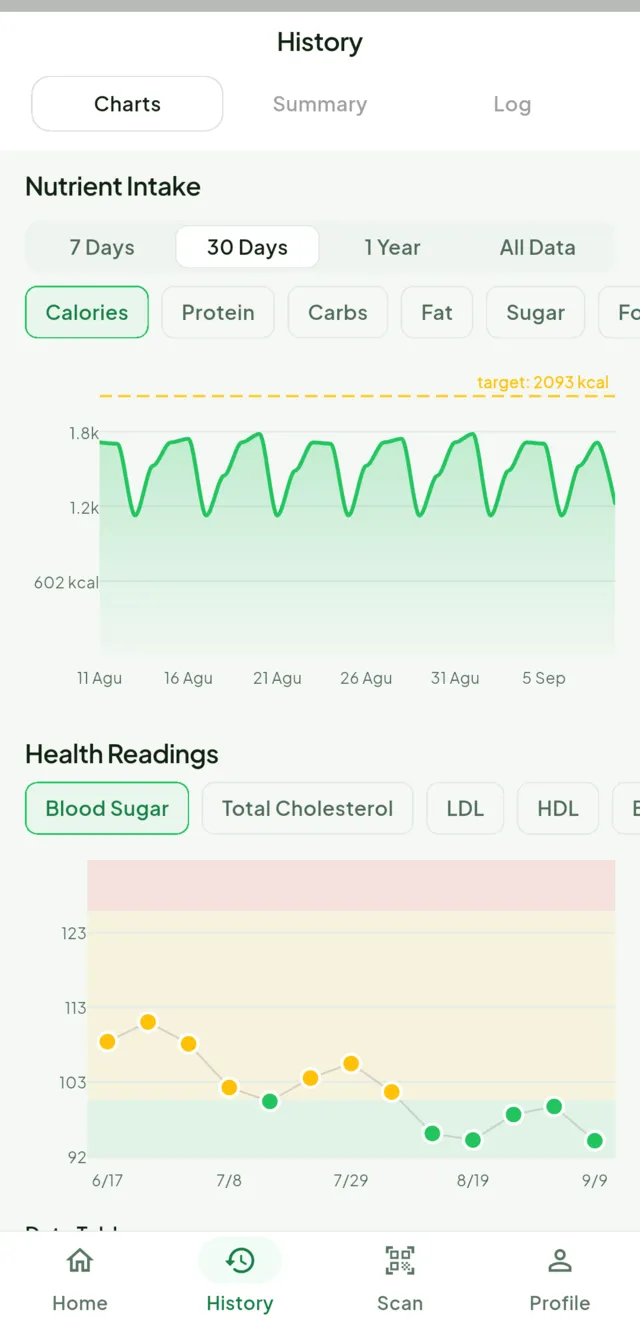
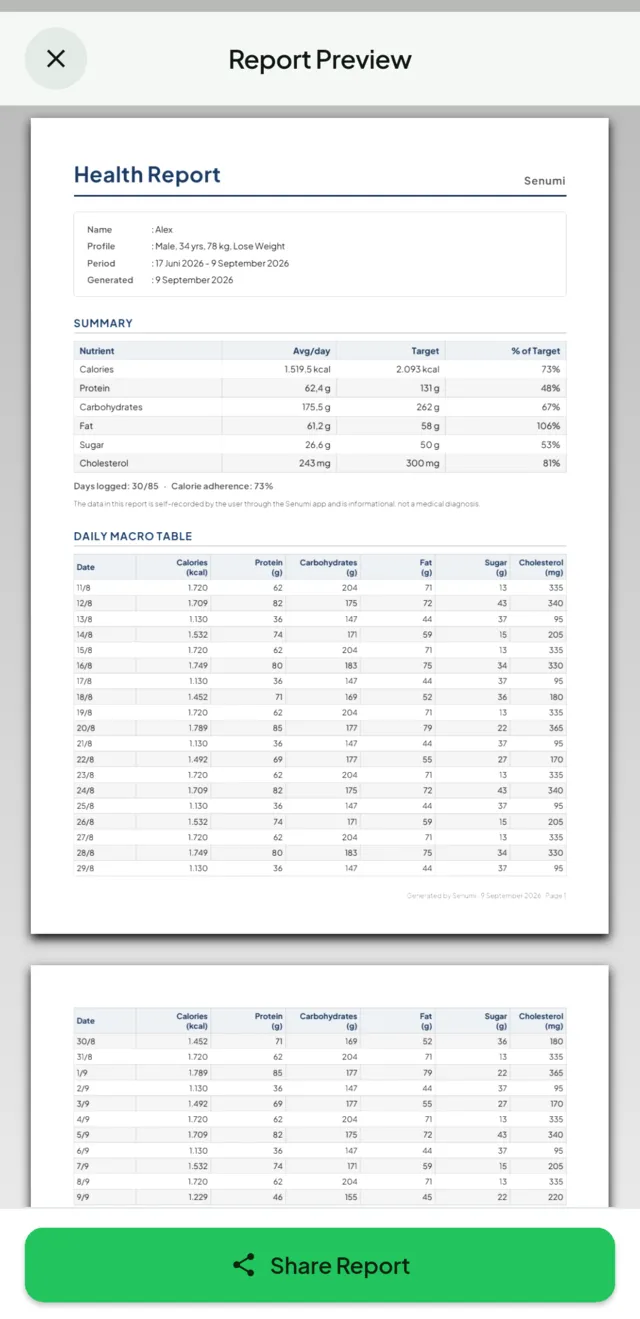
Daily targets for calories and macronutrients, with the ones that usually go unwatched tracked alongside: sugar, saturated fat, cholesterol. Export a report when you want to take it to someone.
-
Charts over weeks and monthsWeight, nutrition and health readings on one timeline.
-
PDF reports7, 30 or 90 days, or your complete history, as a file you can email or print.
-
Health Connect and Apple HealthReads steps, heart rate, weight and sleep; writes nutrition, weight and blood glucose back.
Not only a calorie counter
Your health readings live here too
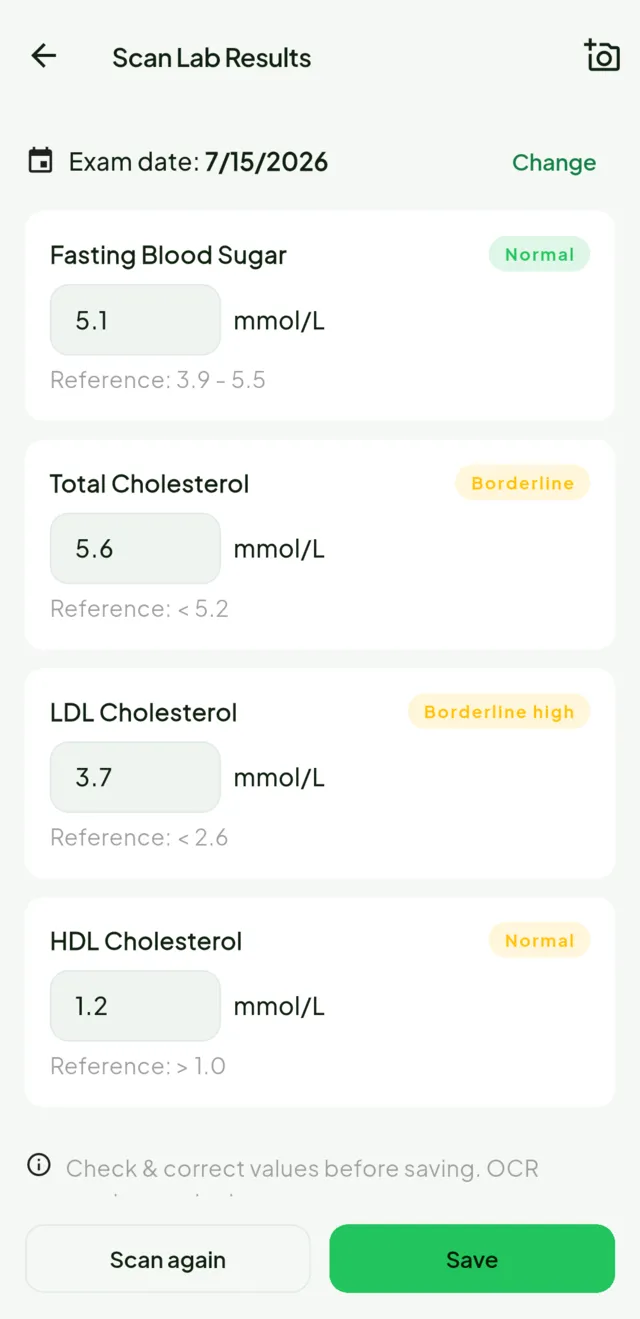
Calories are one number among many. Senumi also takes a photo of a printed lab report and pulls the readings out of it, so blood sugar, cholesterol and the rest sit next to what you ate instead of in a folder of phone photos.
-
Scan a lab resultPhotograph the printout; Senumi reads the values and files them as health entries.
-
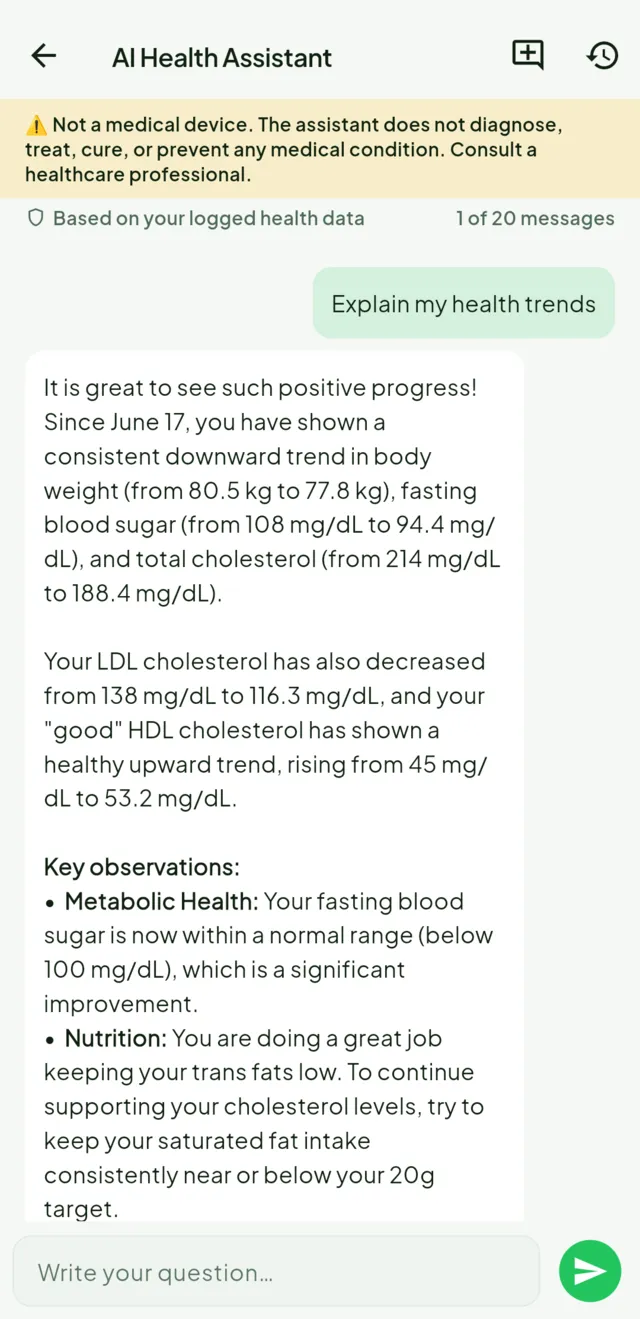
AI Health AssistantAsk about what you've logged and get a plain-language answer, with your own history as context. Premium.
-
Log readings by handBlood pressure, blood sugar, weight, typed in when there's no printout to scan.
Senumi is not a medical device and does not give medical advice. It does not diagnose, treat, cure or prevent any condition, and nothing it shows you replaces a qualified healthcare professional. Food and portion figures are estimates. Never use them for allergy emergencies or medication dosing.
Built somewhere specific
It knows the food where you are
Most trackers are built around one cuisine and translate the interface afterwards. Senumi's catalogue of 502 dishes is named natively in every language it ships in, and what you see first depends on the country you're in, so nasi padang, bibimbap and bratwurst are entries rather than near-misses.
- English
- Bahasa Indonesia · id
- Deutsch · de, de-CH
- Español · es
- Français · fr
- Italiano · it
- Nederlands · nl
- Norsk bokmål · nb
- Svenska · sv
- हिन्दी · hi
- 日本語 · ja
- 한국어 · ko
- 中文 · 简体 / 繁體
Your data
Health data deserves a short list of promises
Not a page of reassurance. Four things we actually do, each of which you can hold us to.
-
Meal photos aren't kept
A photo sent for analysis is used to return your result and nothing else. Senumi does not store it. The exceptions are written down.
-
Treated as sensitive
What you eat and your health readings are handled as sensitive personal data, with the extra protection that implies.
-
Deletion is in the app
Delete your account and its data from Settings, without emailing anyone or waiting on a form.
-
Your history travels
Export what you've logged as a PDF report and take it to a doctor or a dietitian.
Plans
Try it free, then decide
Free gives you ten AI analyses to see whether the app fits how you eat. Premium is for logging every day.
Free
No account charges
- 10 AI food analyses, for the life of the account
- 3 barcode scans a day
- Unlimited logging from the 502-dish catalogue
- 7 days of history, and a 7-day PDF report
- Health Connect and Apple Health sync
Premium Subscription
Priced for your country. Your app store shows the local amount.
- 300 AI food analyses every month
- Unlimited barcode scans
- Your complete history, and 7/30/90-day or full reports
- AI Health Assistant
- Higher-accuracy lab-result scanning
Subscriptions are billed by Google Play or Apple. Manage or cancel your subscription in the store where you subscribed.
Questions
Before you download
How accurate is a photo estimate?
Accurate enough to see a pattern over a week; not accurate enough to dose medication by. Senumi identifies the foods and estimates portions, and both are shown to you to confirm or correct before anything is logged. Treat every number as an estimate. The app labels them that way for the same reason.
Does it work without a connection?
Logging does. Anything you enter offline is stored on your phone and syncs when you reconnect, so a day without signal is not a gap in your history. Analysing a photo, describing a meal, looking up a barcode and the health assistant all need a connection, because the work happens on our servers rather than on your phone.
Is there an iPhone version?
Yes. Senumi is available for iPhone. Download it on the App Store.
What happens to my meal photos?
A photo sent for analysis is used to produce your result and is not stored by Senumi. The full detail is in the privacy policy.
Can Senumi tell me if I'm healthy?
No, and it won't pretend to. It is a tracking tool, not a medical device: it does not diagnose, treat, cure or prevent any condition. It can show you what you have eaten and recorded, which is a useful thing to bring to someone qualified to interpret it.
How do I delete my data?
From inside the app, in Settings. Your account and its data go together, without a support ticket. Here is exactly what is removed.
Who is it for?
Adults, 18 and over. Senumi is not designed for children, and accounts are not offered to them.
Journal
Writing about food, data and building this
Nutrition explained without the hedging, and notes from the people making the app.

Before blaming your willpower, think about last night’s sleep
A randomized trial links longer sleep with changes in food intake. Here is what it found—and why it cannot predict your personal results.
Read the article →
Your calorie total cannot tell you how salty dinner was
Calories and sodium answer different questions. Explore the DASH-Sodium evidence and learn to compare foods without guessing from appearance.
Read the article →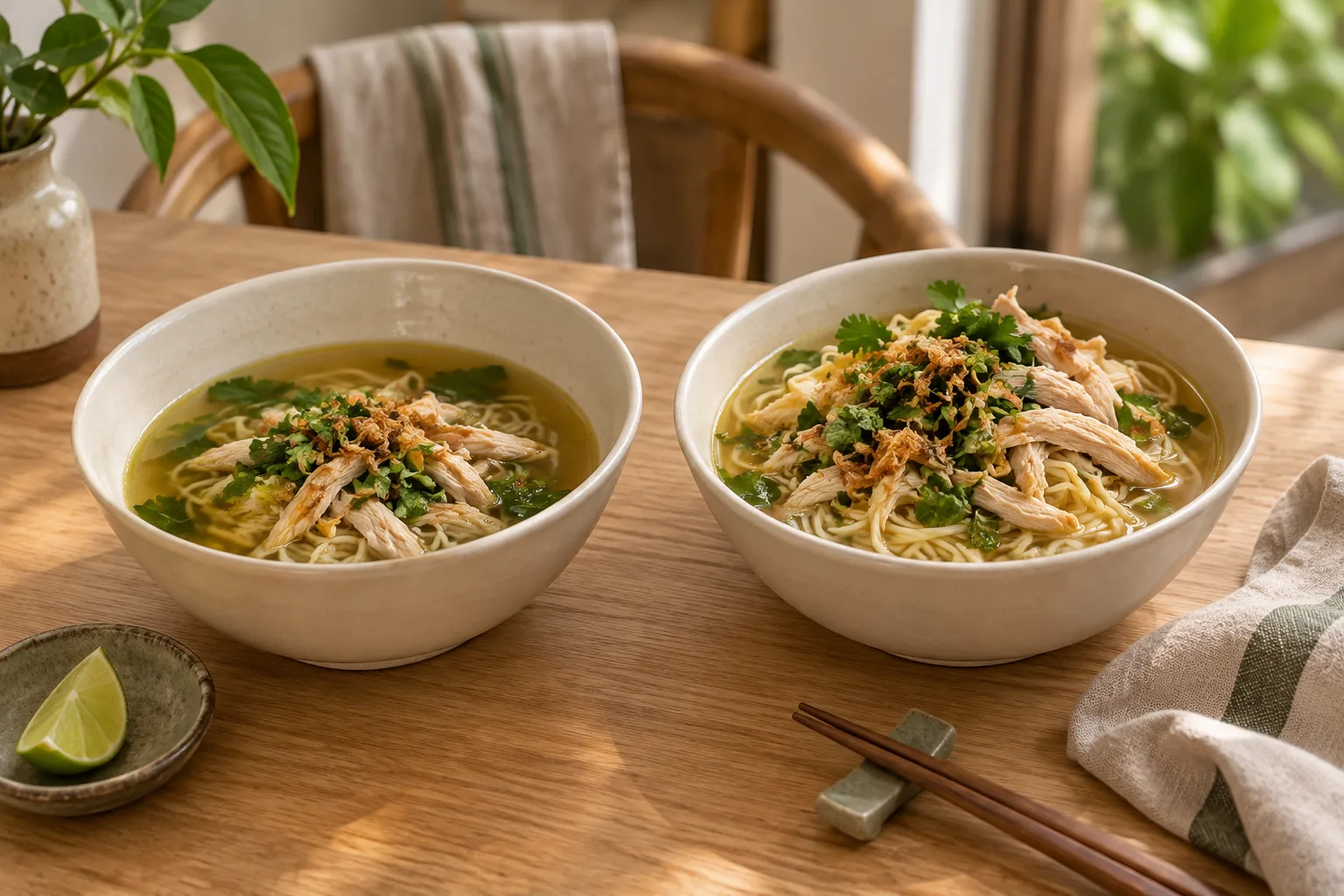
The bowl is the same. The meal isn’t.
Familiar portions can hide different amounts of food. Learn how to make your meal estimates more useful without chasing false precision.
Read the article →Start with your next meal
Your food. Your health. One picture.
Senumi is available now for Android and iPhone.